 Forward Look
Future Web Readiness & Emerging Standards
Plan for WebGPU, AV1, and experimental APIs with adoption readiness checks. Track emerging browser technologies and gate production features behind probe evidence.
Application Readiness
Determine whether your browser environment can run modern web applications before you deploy. Validate application requirements, audit runtime capabilities across WebGL, WebGPU, codecs, and APIs, and export a deployment readiness report from your current session.
Before you ship a SaaS dashboard, streaming player, or 3D configurator, you need to know whether the browser in front of you can actually run it. Browser readiness assessment goes beyond version numbers: it validates application requirements against the live runtime environment on that device.
Our compatibility test answers the question developers, QA engineers, and web application owners ask most often: can this browser session support the graphics, media, and API dependencies my application needs? Runtime capability checks produce pass/fail evidence you can attach to release reviews instead of guessing from support tables.
A browser environment audit builds a feature inventory of what your current session exposes: WebGL and WebGPU graphics paths, video and audio codec decode readiness, JavaScript API availability, secure context status, and hardware acceleration signals. Moreover, a volume shader test can further exercise browser graphics.
Runtime diagnostics run client-side so configuration validation reflects real policies, GPU blocklists, and enterprise restrictions. Environment reporting gives QA and support a shared baseline when comparing Chrome, Firefox, Safari, Edge, and mobile browsers before production testing.
The browser compatibility test tool on the run page performs environment validation in one session. Choose quick, standard, or full probe scope, filter by graphics, media, or APIs, and receive a readiness score with a capability report you can export as JSON or plain text.
Compatibility assessment runs entirely in your browser. Deployment analysis rows map directly to application dependencies so engineering teams can gate features, plan fallbacks, and reduce launch failures caused by missing WebGL, codec, or API support.
Modern web applications stack frontend frameworks, bundlers, media pipelines, and platform APIs on top of browser prerequisites that vary by device. React, Vue, and Angular apps may depend on WebGL for visualizations; streaming platforms need specific codec tiers; SaaS tools require storage, workers, and authentication APIs.
Define compatibility thresholds before coding fallbacks. List runtime dependencies your product calls at launch: WebGL2 for 3D, WebGPU for compute paths, H.264 or AV1 for video, Service Workers for offline modes, and secure-context APIs for login flows. Technology stacks fail in production when teams assume universal support.
Framework code assumes ES modules, fetch, and often WebAssembly. Map each dependency to a probe so release gates stay objective.
Set minimum browser profiles per tier: full experience, reduced mode, and blocked with upgrade messaging.
Missing feature detection identifies unsupported technologies before users encounter blank screens, silent video failures, or broken authentication. Probes surface blocked features, disabled capabilities from enterprise policy, and browser limitations that version checks miss.
When WebGL fails on a managed laptop, when AV1 is absent on an older smart TV browser, or when IndexedDB is blocked in private browsing, upgrade recommendations become clear. Detection runs at the capability row level so teams know exactly which dependency blocked deployment readiness.
Application failure risk assessment translates probe results into compatibility risks your release team can prioritize. Rendering risks appear when WebGL or WebGPU probes fail. Playback risks surface when required codecs are missing. API dependency risks block login, storage, and device features.
User experience risks compound when multiple subsystems fail together: a PWA without Service Workers, a dashboard without WebGL, or a video app without hardware decode paths. Score gaps by severity and attach exported reports to risk registers before production launch.
Browser upgrade recommendations follow from failed probes, not generic advice. When WebGPU requires a newer Chromium build, when Safari needs an update for codec tiers, or when Firefox ESR lacks a platform API, version requirements become evidence-based.
Feature-driven upgrades improve security posture and performance alongside compatibility. Long-term support considerations matter for enterprise customers on managed browsers: document minimum versions, communicate upgrade paths in-app, and re-run probes after browser or driver updates.
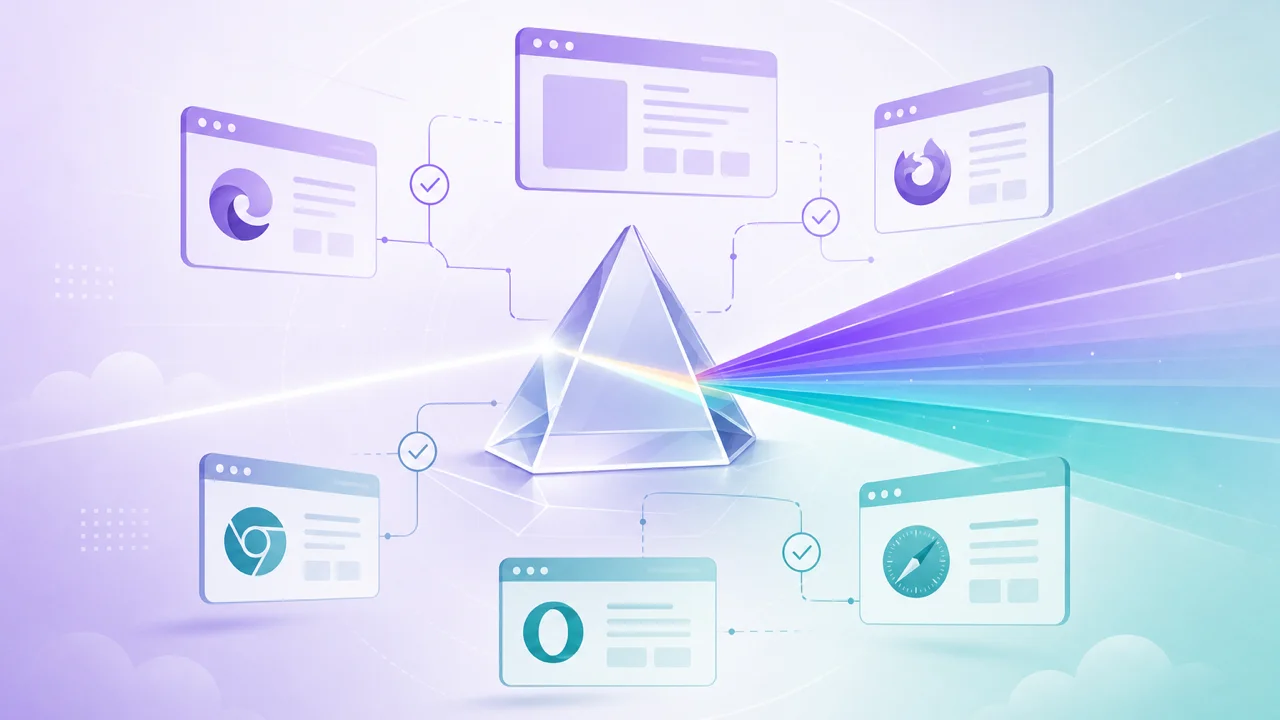
Cross-browser deployment validation confirms release readiness across the browser matrix you support. Run identical probe scope on each target browser, compare capability reports, and document user compatibility analysis before production testing sign-off.
Risk mitigation improves when QA archives exports per release. Browser coverage expands from anecdotal checks to structured evidence: which tiers get full features, which get fallbacks, and which require upgrade messaging before users hit errors in the wild.
A browser support readiness report summarizes compatibility score, risk indicators, technology coverage, and missing dependencies from a probe session. Export JSON for diffing across browsers or a text summary for support tickets and stakeholder reviews.
Deployment recommendations flow from the report: enable features where probes pass, ship degraded modes where partial support exists, and block or redirect users when critical dependencies fail. Each row ties to a specific application requirement so teams act on facts, not assumptions.
Mobile web readiness validation catches compatibility gaps that desktop-only QA misses. Mobile browsers and in-app WebViews expose different WebGL limits, codec tiers, touch APIs, and performance constraints than desktop Chrome or Safari.
Run the same readiness test on phones and tablets you support. Responsive behavior depends on viewport APIs; touch interactions depend on pointer and sensor availability; device capabilities shape whether graphics-heavy and media-heavy features should activate on mobile sessions.
Future web readiness planning uses probe results to forecast when experimental capabilities can graduate to production paths. WebGPU adoption, AV1 rollout, and emerging platform APIs require adoption readiness checks on preview and stable channels alike.
Technology forecasting starts with baseline exports today. Compare sessions after browser updates to track emerging standards validator signals, plan feature flags, and avoid shipping dependencies that most of your user base cannot run yet.
Ten articles on application readiness, browser environment audits, missing feature detection, failure risk assessment, cross-browser validation, and future web compatibility planning.
Forward Look
Plan for WebGPU, AV1, and experimental APIs with adoption readiness checks. Track emerging browser technologies and gate production features behind probe evidence.
Reporting
Create browser support readiness reports with compatibility scores, technology coverage, missing dependencies, and deployment recommendations for release teams.
Deployment
Validate release readiness across Chrome, Firefox, Safari, Edge, and mobile browsers. Build coverage matrices, compare readiness reports, and mitigate deployment risks.
Run application readiness checks for WebGL, WebGPU, codecs, and APIs in one session. Export a browser support readiness report and compare browsers with identical probe scope.
Explore the blog for guides on environment audits, missing feature detection, failure risk assessment, cross-browser deployment validation, and future web readiness planning.
Start a free browser compatibility test now and know whether your environment is ready to deploy.
Run Readiness Test